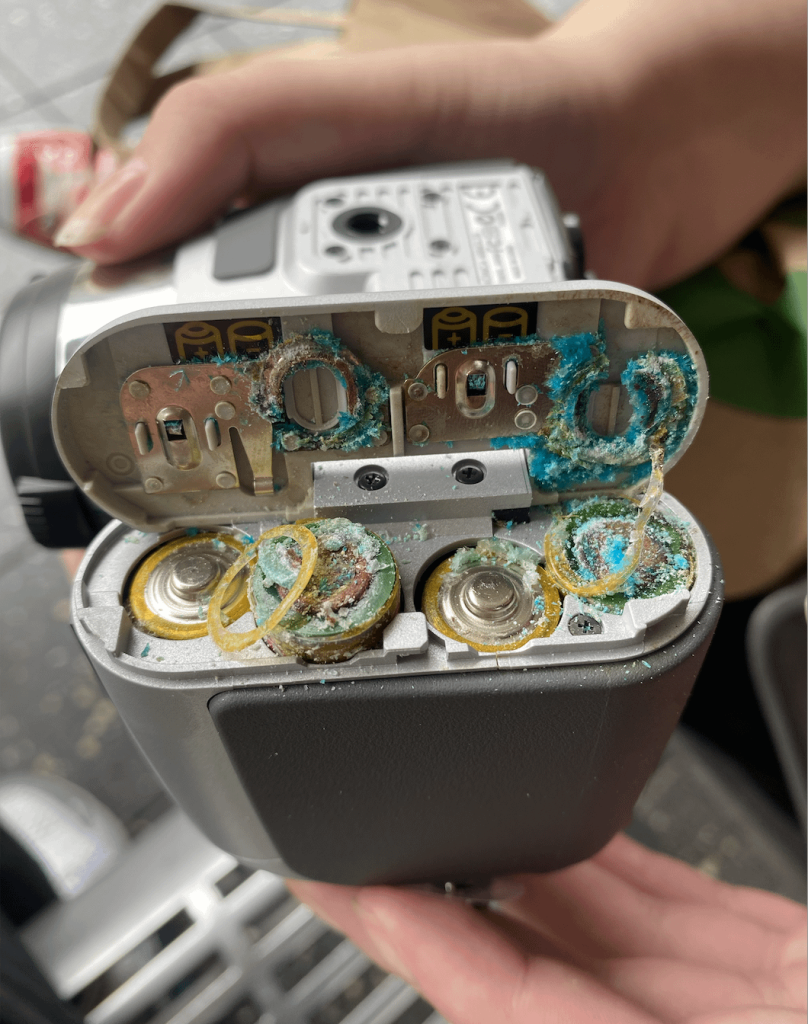
If your mower won’t start or is acting up, the problem might be right at your fingertips—your battery terminals. Dirty or corroded terminals can block power and leave you stuck when you need your mower the most.
But don’t worry, cleaning them is easier than you think. In this guide, you’ll learn simple steps to get your mower battery terminals sparkling clean, so your machine runs smoothly every time you need it. Keep reading, and you’ll have your mower ready to tackle the lawn in no time.

Credit: batteryclerk.ca
Tools Needed
Gathering the right toolsis key for cleaning mower battery terminals safely.
- Basic cleaning suppliesinclude a wire brush or an old toothbrush to scrub off corrosion.
- A small container of baking soda and waterhelps neutralize battery acid.
- Clean rags or paper towelsare useful for wiping away dirt and moisture.
- Wrench or pliershelp to loosen and tighten battery terminal nuts.
Safety gearprotects you during the process.
- Rubber glovesprevent skin contact with battery acid.
- Safety gogglesshield your eyes from splashes.
- Wear clothes that cover your arms to avoid irritation.

Credit: www.tycorunenergy.com
Preparing The Mower
Always turn off the mowerbefore starting. This stops any accidental sparks or shocks. Disconnect the batteryby removing the negative terminal first, then the positive. This helps avoid short circuits.
Find the battery under the mower’s seat or near the engine. It usually looks like a small box with two cables attached.
Cleaning Process
Cleaning mower battery terminals involves removing corrosion with a baking soda solution and a brush. Disconnect the battery first to ensure safety. Dry the terminals well before reconnecting to maintain good electrical contact.
Removing Corrosion
Begin by wearing gloves to protect your hands. Disconnect the battery cables carefully. Use a wire brush to scrape off any corrosion from the terminals. Be gentle to avoid damaging the metal.
Scrubbing Terminals
Mix baking soda with water to make a paste. Apply the paste to the terminals using a small brush. Scrub the terminals gently to remove any remaining dirt or corrosion. Ensure the terminals are clean and shiny.
Rinsing And Drying
Rinse the terminals with clean water to remove the paste. Make sure no residue remains on the battery. Use a dry cloth to wipe the terminals. Let them dry completely before reconnecting the cables.
Preventive Measures
Applying a protective coatinghelps stop corrosion on battery terminals. Use a thin layer of petroleum jelly or a special battery terminal protector. This layer blocks moisture and air from causing rust.
Regular maintenance is key to keeping the mower battery healthy. Clean terminals every few months. Check for any signs of dirt or corrosion. Tighten connections if they feel loose.
- Wipe terminals with a clean cloth before applying coating.
- Use a wire brush for tough corrosion.
- Keep battery area dry and free of debris.
- Charge battery fully before storage.
Troubleshooting Battery Issues
Testing the battery charge is key to know if it works well. Use a voltmeter to check the voltage. A fully charged battery shows about 12.6 volts. Below 12.4 volts means it needs charging or replacing. Look for any signs of damage like cracks or leaks. These signs mean the battery may fail soon.
Terminals should be clean and free of corrosion. Corrosion looks like white or green powder. It stops good contact with cables. Clean with a wire brush or baking soda mixed with water. Rinse and dry well before reconnecting.
Replace terminals if they are:
- Crackedor broken
- Heavily corroded beyond cleaning
- Loose and cannot be tightened
- Damaged or worn out
Proper battery and terminal care helps your mower start easily every time.

Credit: www.lokithorshop.com
Frequently Asked Questions
How Do I Clean Mower Battery Terminals Safely?
To clean mower battery terminals safely, disconnect the battery first. Use a mixture of baking soda and water to scrub corrosion. Wear gloves and eye protection. Rinse with clean water and dry completely before reconnecting.
What Tools Are Needed To Clean Battery Terminals?
You need a wire brush, baking soda, water, gloves, and a cloth. A wrench helps disconnect terminals. These tools remove corrosion and clean the terminals effectively.
How Often Should Mower Battery Terminals Be Cleaned?
Clean mower battery terminals every 6 months or when you see corrosion. Regular cleaning ensures good electrical contact and extends battery life. Check terminals more often in humid or wet conditions.
Can I Use Vinegar To Clean Battery Terminals?
Yes, vinegar can clean battery terminals. Its acidity dissolves corrosion effectively. Apply vinegar carefully, scrub with a brush, rinse with water, and dry well before reconnecting.
Conclusion
Cleaning mower battery terminals keeps your mower working well. Dirt and corrosion block power and reduce battery life. Use simple tools and safe steps to clean terminals carefully. Regular cleaning prevents mower troubles and saves money. Check the terminals often, especially after winter or heavy use.
A clean connection means your mower starts easily every time. Keep your mower ready for any job by caring for its battery. Small effort now avoids bigger problems later. Easy to do and worth the time.