Are you looking to keep a close eye on your robotic mower and make sure it never goes missing? Installing a GPS tracker in your robotic mower is the smartest way to protect your investment and track its movements in real time.
In this guide, you’ll discover simple, step-by-step instructions to add a GPS tracker to your mower quickly and easily. By the end, you’ll have full control and peace of mind, knowing exactly where your mower is at all times. Ready to make your robotic mower smarter and safer?
Let’s get started!
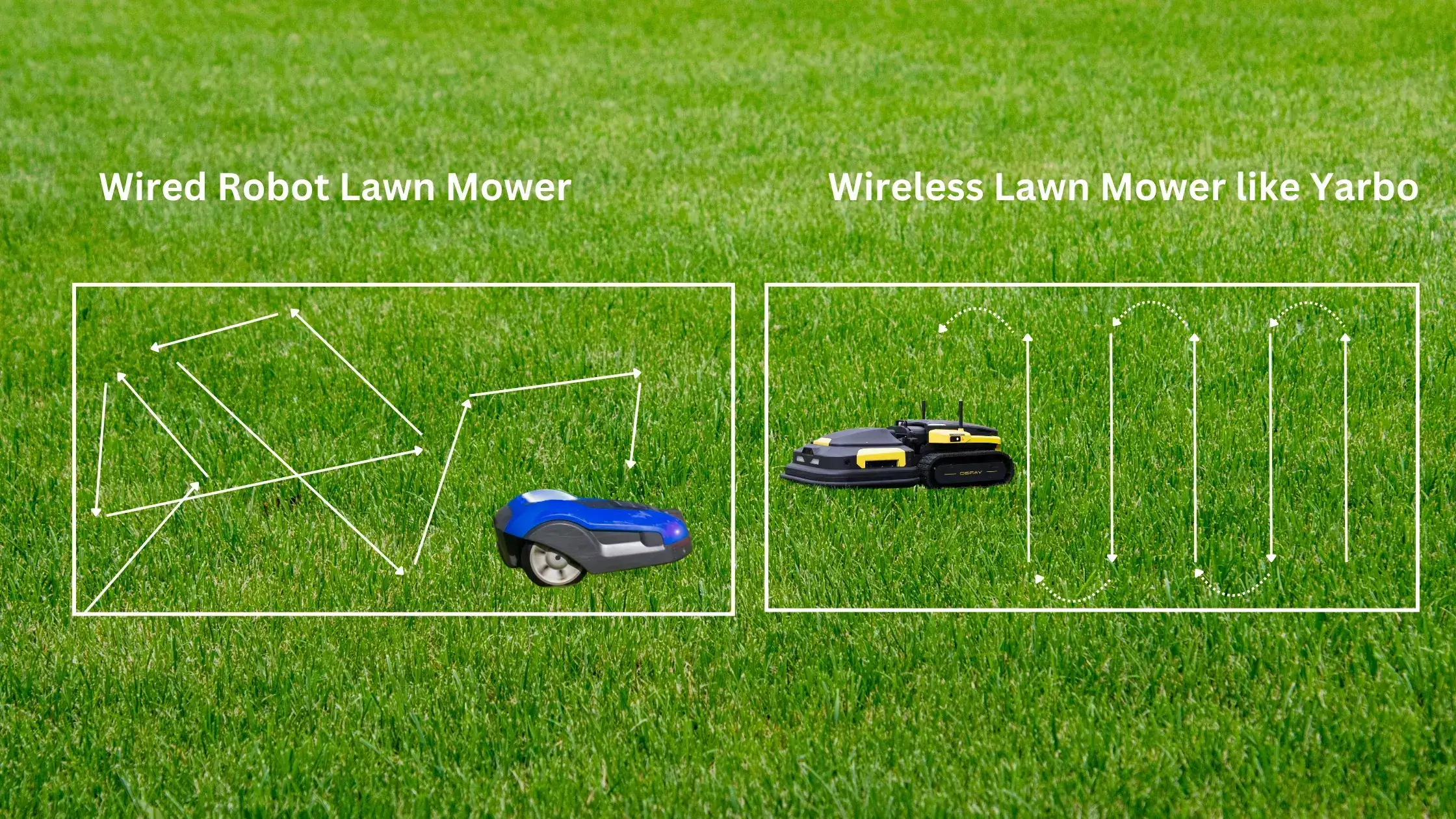
Credit: www.yarbo.com
Choosing The Right Gps Tracker
Choosing the right GPS trackerhelps keep your robotic mower safe and easy to find. There are different types of trackers designed for mowers. Some use real-time tracking, while others offer location history. Battery life, signal range, and size are key features to check.
Compatibility with your robotic mower is very important. Not all trackers fit every model. Some attach with screws, others use magnets or straps. Make sure the tracker works well with your mower’s design and power.
| Type of GPS Tracker | Key Features | Best For |
|---|---|---|
| Real-Time Tracker | Live location, alerts, good battery life | Users who want constant updates |
| Passive Tracker | Stores location data, low power use | Those who check location occasionally |
| Magnetic Mount Tracker | Easy to attach and remove | For quick installation on metal parts |
Tools And Materials Needed
To install a GPS trackerin a robotic mower, gather all essential toolsand materials first. Basic tools include screwdriversand a wire stripper. A small drillmight be useful for mounting the tracker.
Wear safety gearlike gloves and safety glasses to protect yourself. This keeps your hands safe and eyes clear of dust or debris.
Additional accessories can make the process easier. Use zip tiesto secure wires and double-sided tapefor attaching parts. Having a multimeterhelps check electrical connections before final assembly.
Preparing Your Robotic Mower
Begin by choosing a GPS tracker compatible with your robotic mower. Carefully connect the tracker to the mower’s power source and secure it in a hidden spot. Test the tracker to ensure it works properly before using the mower outside.
Powering Off The Device
Ensure the robotic mower is completely off. Find the power button and press it. Wait for the lights to go out. This ensures the mower is safe.Locating Installation Points
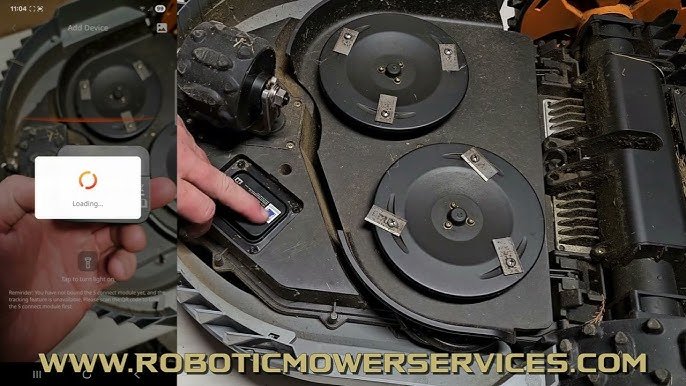
Look for the flat areas on the mower. These are the best spots for GPS trackers. Check under the hood or near the wheels. Make sure the spot is easy to access.Cleaning The Surface
Wipe the area with a clean cloth. Remove any dirt or debris. A clean surface helps the GPS tracker stick better. Use a little water if needed. Avoid using strong chemicals. `
Credit: www.youtube.com
Installing The Gps Tracker
Choose a flat, clean spot on the mower to mount the GPS tracker. Use strong double-sided tape or screws to keep it steady. Avoid places that get wet or dirty easily.
Connect the tracker’s wires securely to the mower’s power source. Check that all connections are tight to prevent disconnection. Use electrical tape or wire connectors for safety.
Place the tracker where it can get a clear view of the sky. This helps the device receive GPS signalswell. Avoid metal covers or thick parts that block signals.
Configuring The Gps Tracker
Download the GPS tracker app from your device’s app store. The app helps you control and monitor the tracker easily. Open the app and create an account if needed. Follow simple on-screen instructions to finish setup.
Pair the GPS tracker with your robotic mower using Bluetooth or Wi-Fi. Turn on the tracker and the mower. In the app, find the device list and select your tracker. Confirm the pairing by entering any required code.
Set up alerts to get notifications about your mower’s location and status. Choose options like low battery, movement detection, or boundary crossing. Customize alerts to receive emails or push notifications on your phone.
Testing The Installation
After installing the GPS tracker, check its signal strength and connection to the mower. Test the device by tracking the mower’s movements to ensure accurate location data. Confirm the tracker updates in real-time for reliable monitoring.
Verifying Gps Signal
Check the GPS tracker for a strong signal before starting the mower. Place the mower outside where the sky is clear. Wait a few minutes for the tracker to connect with satellites. A steady signal means the tracker is ready to use. Weak or no signal requires repositioning the tracker or mower.
Running A Test Mow
Start the mower in a small, open area to test its movement. Watch if the mower follows the correct path. Confirm the GPS tracker tracks the mower’s location accurately. Adjust settings if the mower moves off course or the tracker shows wrong data.
Troubleshooting Common Issues
- GPS signal not found: Move mower to open space.
- Mower not responding: Check battery and connections.
- Tracker shows wrong location: Restart the tracker and mower.
- Unexpected stops: Clear obstacles around mower.
Maintenance Tips For Gps Tracker
Regular checkshelp keep the GPS tracker working well. Look for dirt or damage on the device. Make sure the tracker is firmly attached to the mower. Test the signal strength to confirm it connects to GPS satellites. Clean the tracker gently with a soft cloth to remove dust.
Battery replacementis key for continuous tracking. Use the correct battery type as recommended. Replace batteries before they die to avoid losing signal. Dispose of old batteries safely. Keep spare batteries handy for quick swaps.
Firmware updatesimprove the tracker’s performance. Check for new updates regularly. Use the official app or website for downloads. Install updates carefully following instructions. Updates may fix bugs and add new features.

Credit: www.fightertracks.com
Frequently Asked Questions
How Do I Install A Gps Tracker On A Robotic Mower?
To install a GPS tracker, first choose a compatible device. Attach it securely to the mower’s chassis. Connect the tracker to the mower’s power source. Finally, configure the tracker using the app or software provided by the manufacturer.
What Are The Benefits Of Gps Tracking For Robotic Mowers?
GPS tracking helps monitor mower location in real-time. It improves security by preventing theft. It also allows for efficient mowing route planning and maintenance alerts, optimizing mower usage and battery life.
Can I Install A Gps Tracker Myself On A Robotic Mower?
Yes, most GPS trackers are designed for easy self-installation. Basic tools and following the manufacturer’s instructions are usually sufficient. If unsure, professional installation is recommended to avoid damage.
Will Gps Tracking Affect My Robotic Mower’s Battery Life?
GPS trackers use minimal power, so battery impact is small. However, continuous GPS usage may slightly reduce mower run time. Opt for energy-efficient trackers to minimize battery drain.
Conclusion
Installing a GPS tracker in your robotic mower improves its safety and efficiency. The steps are simple and easy to follow. A GPS tracker helps you find your mower quickly if it goes missing. It also lets you monitor its movements in real-time.
With a little effort, your mower becomes smarter and more secure. Remember to check the tracker’s battery regularly. Enjoy the peace of mind that comes with better control over your robotic mower.